


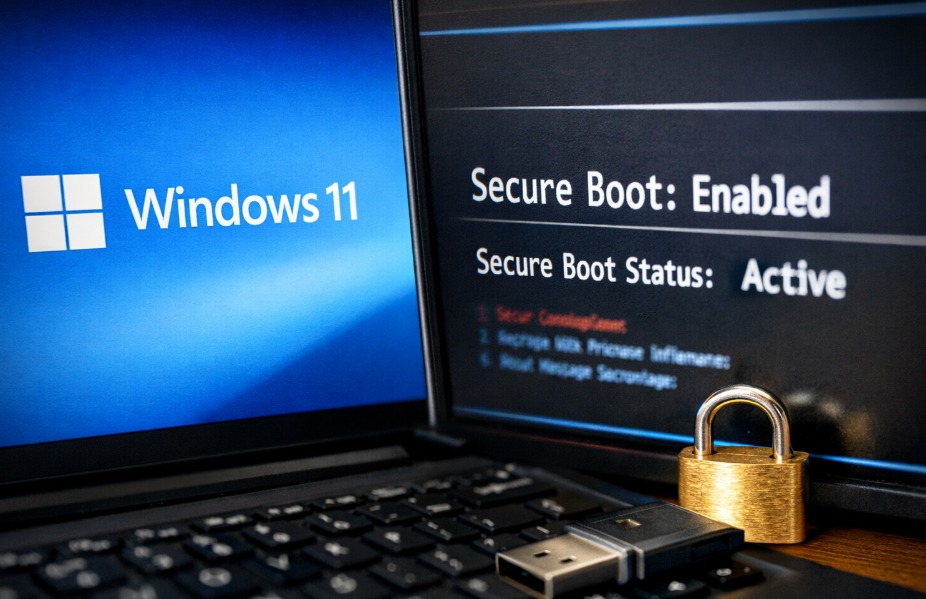
Microsoft is gradually rolling out a security update for Windows 11 that refreshes key Secure Boot certificates on supported devices. The update, titled “Secure Boot Allowed Key Exchange Key (KEK) Update,” is being delivered through the standard Windows Update system and requires a restart to complete installation.
While the update may not yet appear on every PC, Microsoft says the rollout is being conducted in phases to ensure compatibility across a wide range of hardware.
Microsoft Begins Deploying New Secure Boot Certificates
Users checking Windows Update may notice a pending update labelled Secure Boot Allowed Key Exchange Key (KEK) Update. Once installed, the update prompts a system reboot but otherwise operates quietly in the background.
If the update does not appear, it may already be installed or simply not yet available for the device in question. Microsoft has confirmed that the deployment is being handled gradually through normal update channels.
According to official documentation from the company, most users do not need to take any manual steps.
“The new 2023 certificates will be delivered to your device through regular Windows Update channels. For most users on supported Windows systems, no action is needed,” Microsoft noted in its guidance.
However, the firm also warned that some devices may require a firmware update from the manufacturer in order for the new certificates to be applied correctly.
What Secure Boot Does
Secure Boot is a security feature built into computers using UEFI (Unified Extensible Firmware Interface) firmware. Its role is to ensure that only trusted software runs during the system startup process.
In practice, Secure Boot checks the digital signatures of key boot components — such as the Windows boot loader — against certificates stored in the system firmware. If the signature matches a trusted certificate, the software is allowed to run.
This mechanism helps block malicious software, including bootkits and low-level malware, from loading before the operating system starts.
Windows 11 requires Secure Boot as part of its system security baseline, making the feature particularly relevant for consumer devices as well as enterprise machines.
Users can confirm whether Secure Boot is active by opening System Information and checking whether the Secure Boot State is listed as “On”.
Why Microsoft Is Updating the Certificates
Like many forms of digital authentication, Secure Boot relies on certificates that have expiry dates.
One widely used Microsoft certificate set dates back to 2011 and is scheduled to begin expiring in June 2026. Without updated certificates in place, certain security protections could stop functioning.
These protections include mitigations for vulnerabilities in the early boot environment, such as:
- BitLocker bypass protections
- Secure Boot revocation updates
- Boot manager security improvements
To avoid those risks, Microsoft is replacing the older certificates with a new Secure Boot certificate set issued in 2023.
The KEK update appearing in Windows Update is one part of that transition.
Gradual Rollout Across Windows Devices
Microsoft is distributing the update in stages to minimise compatibility issues across the large ecosystem of Windows hardware.
Testing suggests the update is relatively lightweight. On most systems it takes less than two minutes to download and only a few minutes to install, with a single reboot completing the process.
Importantly, the update does not change the Windows build number or version and should not affect system performance or gaming frame rates.
How to Check if the Secure Boot Update Is Installed
Users who want to verify whether their PC has already received the new certificates can check through PowerShell.
Check Using PowerShell
- Open PowerShell as Administrator.
- Run the following command:
([System.Text.Encoding]::ASCII.GetString((Get-SecureBootUEFI db).bytes) -match 'Windows UEFI CA 2023')
If the command returns True, the Windows UEFI CA 2023 certificate is present on the system.
A result of False means the certificate has not yet been applied.
However, the presence of the certificate alone does not necessarily indicate the full update process is complete.
Confirm Using Event Viewer
Microsoft notes that the update process generates several system logs that confirm its progress.
Users can check Event Viewer under:
Windows Logs → System
Filtering for TPM-WMI entries may reveal relevant events.
Key identifiers include:
- Event ID 1043 – confirms the Secure Boot KEK update was applied successfully
- Event ID 1808 – indicates that all required certificates and boot manager updates have been installed
When Event ID 1808 appears, the system’s Secure Boot keys are fully updated.
Do Most Users Need to Do Anything?
For the majority of Windows users, the answer is no.
Microsoft says that personal Windows devices will automatically receive the updated Secure Boot certificates through regular updates. In most cases, the only action required is allowing the system to reboot after installation.
Some PCs may still need firmware updates from the device manufacturer, depending on the model and its UEFI implementation.
Microsoft has also confirmed that systems included in its high-confidence rollout groups will receive the certificates through regular monthly cumulative updates.
Conclusion
The Secure Boot KEK update represents a routine but important security maintenance step for Windows devices. By replacing ageing certificates from 2011 with a new 2023 set, Microsoft aims to ensure that the Secure Boot system continues to protect PCs from low-level malware threats.
As the rollout continues through monthly updates — including those expected around March’s Patch Tuesday — more Windows 11 users will see the update appear in Windows Update in the coming weeks.

Graham Greene is a contributor to Dealmakerz, covering news, politics, business, technology, sport, entertainment, and lifestyle. He focuses on clear, accurate reporting and useful information that helps readers stay informed about current affairs and developments that matter to them. His work highlights relevant stories, emerging trends, and key issues, presenting them in a balanced, accessible, and reader-friendly way.


More Stories
Google Rolls Out Gemini 4 Argon With Smarter Reasoning and Less Wordy AI Responses
Microsoft Urges Entra ID Admins to Move Users to Passkeys Before SMS Sign-In Retirement
Polish Developer Builds App That Detects Nearby Meta Smart Glasses